
Define accumulation rules.
Set exchange account, assets, weights, schedule, amount, and execution behavior for your own accumulation strategy.
- User-defined spot DCA plans
- Futures-specific logic where needed
- Per-plan history and status
Astha DCA helps crypto users schedule recurring exchange buys while keeping strategy history, average entry, and portfolio context connected to Astha Ledger.
It is not the main Asthate identity. It is an automation module built on top of the asset command center.
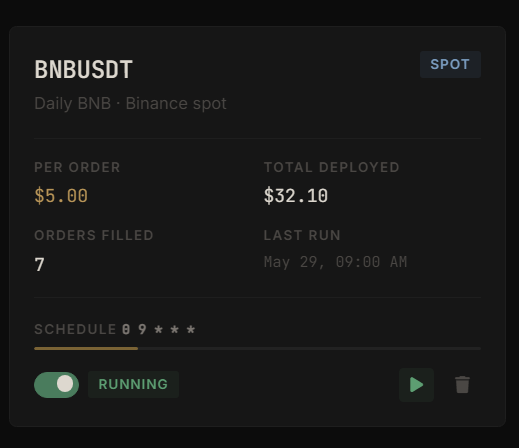
Each DCA plan shows the market, account type, per-order amount, total deployed, filled order count, last run time, schedule, and running state.
Users can review and manage each strategy separately instead of treating every position as one portfolio action.
Filled count, last run, and schedule make automation status easier to audit from the Ledger workflow.
The difference is context. Astha DCA does not only place recurring orders. It is designed so the result can be recorded, reviewed, and understood inside the broader Astha Ledger workflow.
Set exchange account, assets, weights, schedule, amount, and execution behavior for your own accumulation strategy.
Execution logic should respect exchange constraints, order type requirements, minimum notional rules, and account-specific fee behavior.
Average entry, quantity, cumulative PnL, DCA count, and allocation only become useful when they connect back to the complete asset picture.
Astha DCA uses the same email and password as Astha Ledger. DCA access is available for Astha Max accounts, so identity, billing, and product access stay under one Asthate account.
Connect assets and understand current allocation.
Unlock the broader Astha suite, including DCA automation access.
Automate accumulation, then review strategy results in context.